
1. Kaspersky Anti-Virus:
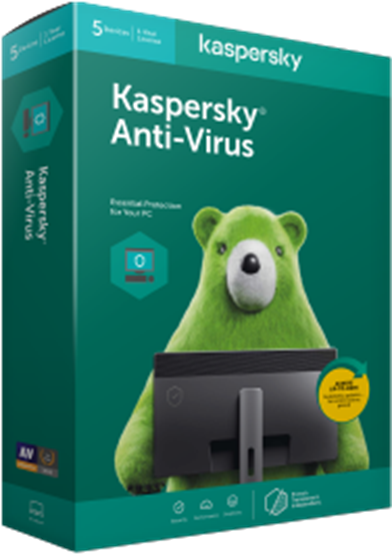
Kaspersky is a well-known name in the online security world. The company offers three antivirus suites—Antivirus, Kaspersky Internet Security, and Security Cloud. All three are among the best internet security apps for Windows 10.
In truth, Kaspersky is another app that’s struggled with performance issues in the past. But, like Windows Defender, those problems are firmly behind it. AV-TEST rated the app as 6/6 across all three of its testing categories.
Indeed, the suite only flagged three false positives in the April 2019 test, despite testing in excess of 1.6 million samples.
Pros:
- No virus will ever get through Kaspersky Antivirus
- Probably the least “hungry” product in terms of using your device’s resources
- A 30-day trial is included
- The totally free Kaspersky TDSSKILLER will scan your computer for rootkits and bootkits and remove them
- It is very easy to switch from the basic plan to the more advanced tiers
- The higher plans offer a huge list of amazing features
- The customization options will satisfy the fans of tweaking
- The Windows 10 client deserves the highest praise. The rest of the clients/appsare also great.
Cons:
- The entry-level package comes with a very limited set of features
- For some users, the ultimate plan might seem expensive (but it’s actually not)
- Unfortunately, the basic package is only available on Windows systems. To get Kaspersky for Mac and the mobile platforms, you’ll have to switch to the top tiers
- If you are concerned that the Russian government is spying on the users through this antivirus, then it might not be the best choice for you (there’s no official proof, though)
Package Features:
- Protection against ransomware, viruses, and other malware
- Industry-leading performance with little system impact
- Privacy protection
- Safe Money (more security during online transactions)
- Security For Kids (parental control)
- Secure Password Manager
- File protection (additional security for your most precious data)
2. BitDefender:
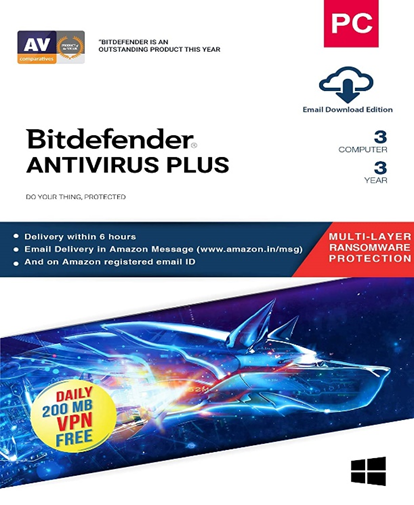
With a perfect 6/6 for protection, performance, and usability on AV-TEST, Bitdefender Internet Security is unquestionably among the best antivirus apps for Windows.
Like Kaspersky Internet Security, only three false positives were found from a sample size of 1.6 million and had a 100 percent record against both zero-day attacks and existing malware.
There are three different versions of the app available to Windows users: Total Security for $40 (which covers mobile devices), Internet Security for $35 (includes firewall and webcam protection), and Antivirus Plus for $30 (the entry-level paid suite). If you wish, you can purchase the Android and iOS versions of Bitdefender separately.
Other noteworthy features in Bitdefender include multi-layer ransomware protection, network threat prevention, and parental controls.
Pros:
- A minimal impact on the system
- Full-featured software
- Scores very high in independent performance tests
- A built-in anti-ransomware feature
- An excellent Internet security option
- It is affordable
- A free Android app is available.
Cons:
- Basic versions are for Windows only.
- The free Android app has limited capabilities.
- Scanning could be a bit faster
Package Features:
- Bitdefender Antivirus Plus
- Bitdefender Total Security
- Bitdefender Internet Security
- Bitdefender Family
- Bitdefender Mobile Security for Android and iOS
3. Quick Heal Antivirus:
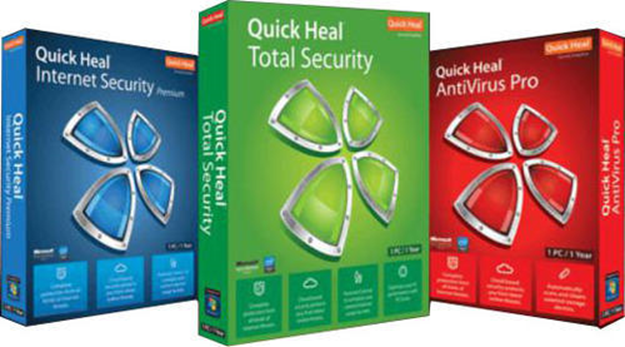
Quick Heal is an easy to use antivirus software which automatically detects and removes virus, Trojans, malware etc. The software can be configured to scan even attachments from email or any downloaded files from the internet.
The package is lightweight there by not impacting the system performance and using up resources. With constant update on virus signatures, Quick Heal Antivirus provides a very effective solution for your Virus and malware problems
Pros:
- Automatic and customizable scanning modes
- Behavior-based antivirus tools provide stronger protection over signature-based models
- Utomatic Rogueware Scan
- An anti-keylogger tool, automatic scan scheduler
- Parental control feature is also extremely well-designed
Cons:
- if you are using free version of that version, then it will provide limited protection, to avail full protection you should have to register it online or have to buy a registered version.
Package Features:
- Protection against ransomware, viruses, and other malware
- Industry-leading performance with little system impact
- Privacy protection
4. Norton Security:
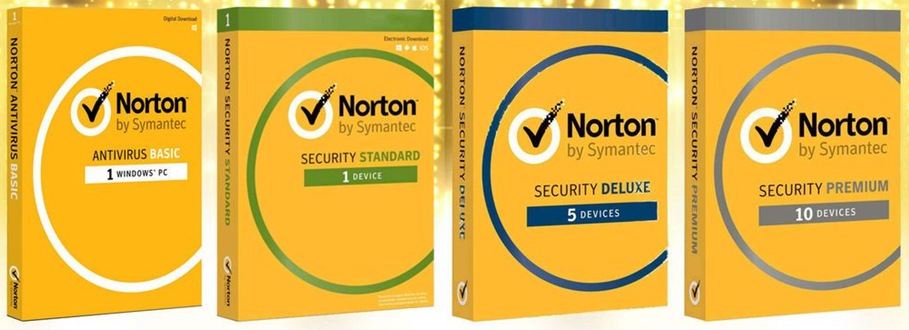
The Norton suite has an erratic history. There was a time—around the turn of the millennium—when it had a vice-like stranglehold on the antivirus market. The growth of reliable free antimalware products, along with Norton’s ever-growing drain on system resources, saw its popularity decline rapidly over the next decade.
Fast-forward to today, and Norton Security is once again worth considering. AV-TEST gave it 6/6 across all three categories. Amazingly, it only saw an eight percent performance effect on a standard computer when loading popular sites (though its impact when installing frequently used applications was more noticeable at 28 percent).
Norton Security supports malware scans, real-time website ratings, malicious URL blocking, phishing protection, and behavior-based detection.
The four Norton Security plans cost between $40 and $100 per year, depending on the extra features you need.
Pros:
- Easy to download, install, and use.
- With Norton Security Premium, you’ll get protection for 10 devices.
- Parental control features are industry-leading.
- Norton for Mac is just as powerful as the Windows version.
- Android/iOS packages are cheap and robust.
- Configuration options will make the tweaking enthusiasts love this antivirus even more.
- Almost no impact on the system’s performance.
Cons:
- Scans can be slow at times.
- Security extras aren’t that great.
- The 2nd-year prices are very steep.
Package Features:
- Norton Security (NS) Bas
- NS 360 Standard
- NS 360 Deluxe
- NS 360 Premium
- NS 360 Deluxe With LifeLock
5. McAfee® Total Protection:
MacAfee is one of the old Antivirus along with Norton and common name when it comes to Antivirus. Most of the PC and Laptop manufacturers put MacAfee as pre-installed software in the system with some offers so the cost factor is less for this software and the performance on threat detection is also good.
You’ll get decent amount of features and constant update on virus definition , however the scan performed could sometimes miss threats which other software may identify. This could also be due to virus definitions which MacAfee updates. The cost is relatively less and is a trustworthy brand.
Pros:
- Decent scores in independent tests of malicious URL blocking
- Multiple bonus features
- Excellent customer support available around the clock, live chat
- Suits for smartphones and tablets are available
- 99% of false positives – the software doesn’t block safe programs and files
Cons:
- Almost all of the 12 services provided can be disabled by the malware
- The bonus firewall is rather weak
- Phishing detection rates are low
- Requires almost 80% of computing power, very resource-hungry
- Does not feature protection of vulnerable software. No CD or USB rescue files
Package Features:
- Defense of all personal devices on Windows. Advanced packages include protection of iOS, Android and Mac devices;
- Two-way firewall to protect you from spyware, rootkits, and bots;
- Ransomware protection;
- File shredder to permanently delete files from your device;
- Gaming mode.
Please share your comments here.